Scripting HelpersARCHIVE
A little piece of Roblox history. Preserved for everyone, one question at a time.Read about the archive →
✓ ANSWER ACCEPTED

Touched event isn't detecting players jumping on it?

Hello,

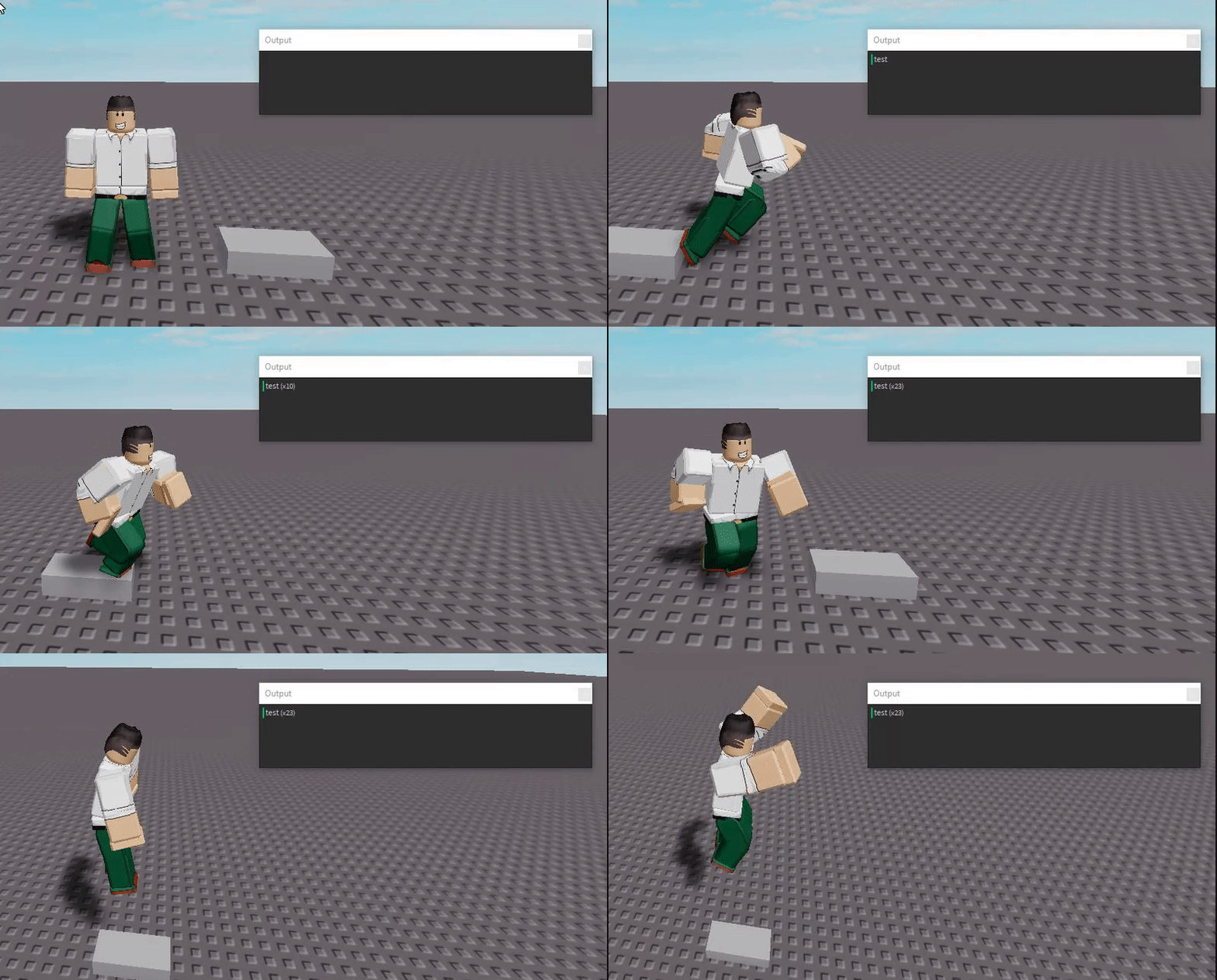
How do I achieve the same effect as the tiles on Epic Minigames? Whenever I connect a part to a Touched event and jump on it, it doesn't print anything

Here's a script that connects the Touched event

script.Parent.Touched:Connect(function(hit)
    if hit.Parent:FindFirstChild('Humanoid') then
        print('test')
    end
end)

The script:

Image from Gyazo

The script in Epic Minigames:

Image from Gyazo

1 comment

0

This is interesting. I'll look into it in a bit.

2 answers

✓ Accepted answer

This is a somewhat common issue with the .Touched event as it relies on physics to fire, and physics don't always match from server to client.

A 'hacky' way to fix it would be to have the part to be touched CanCollide = false with another part underneath so that they go through the part that fires the event before being able to jump again.

Another way would be to use Region3 to detect if any part of them is inside the region of the part, but this might be a bit lengthy to complete something as simple as what you're trying to make.

EDIT: I'll keep looking for a better solution and let you know if I find one.

1 comment

0

you can cast a ray to figure out if the player is jumping on a part. doing a write up on it atm but crappy wifi

You can use raycasting to check if the player is hopping on the part.

I have a working uncopylocked solution here if you want to try it out

I have all the parts that the player can jump on inside of a model.

What the code below is doing is shooting a ray below the character that ends slightly below the player.

If that ray is touching one of the parts in the whitelist (a table containing the parts in the model) then the player is touching that part so it changes the brickcolor.

local ModelContainingParts = script.Parent

function checkIfTouchingPart(player)
	while true do
		wait(.1)
		if player.Character then
			local start = player.Character.HumanoidRootPart.Position
			local lookAt = player.Character.HumanoidRootPart.Position + Vector3.new(0,-5,0)
			local lengthOfRayInStuds = 7
			
			 --the findpartsonray function will find any parts inside this array and only recognize when those parts are touched
			local whiteList = ModelContainingParts:GetChildren() 
			
			
			local ray = Ray.new(start, (lookAt-start).Unit * lengthOfRayInStuds)
			local part, position = workspace:FindPartOnRayWithWhitelist(ray, whiteList)
			
			if part then
				part.BrickColor = BrickColor.Random()
				print("part player is standing/jumping on: ", part)
			end
		end
	end	
end


game.Players.PlayerAdded:Connect(function(player)
	spawn(function() checkIfTouchingPart(player) end)
end)

4 comments

0

I have tried out this method, but the ray only detects what's under the middle of the HumanoidRootPart. https://gyazo.com/d192fddd37c4f022b70e89551bd31a48

0

never thought of that. i can edit it later in the day.

0

I've edited it and now it's working well, Thank you for your help.

0

yeah no problem. I think cows way works better sorry I didn't have time to get back to you I had a lot of work over the weekend

This discussion is preserved as it was. New answers, comments, and votes are closed.