
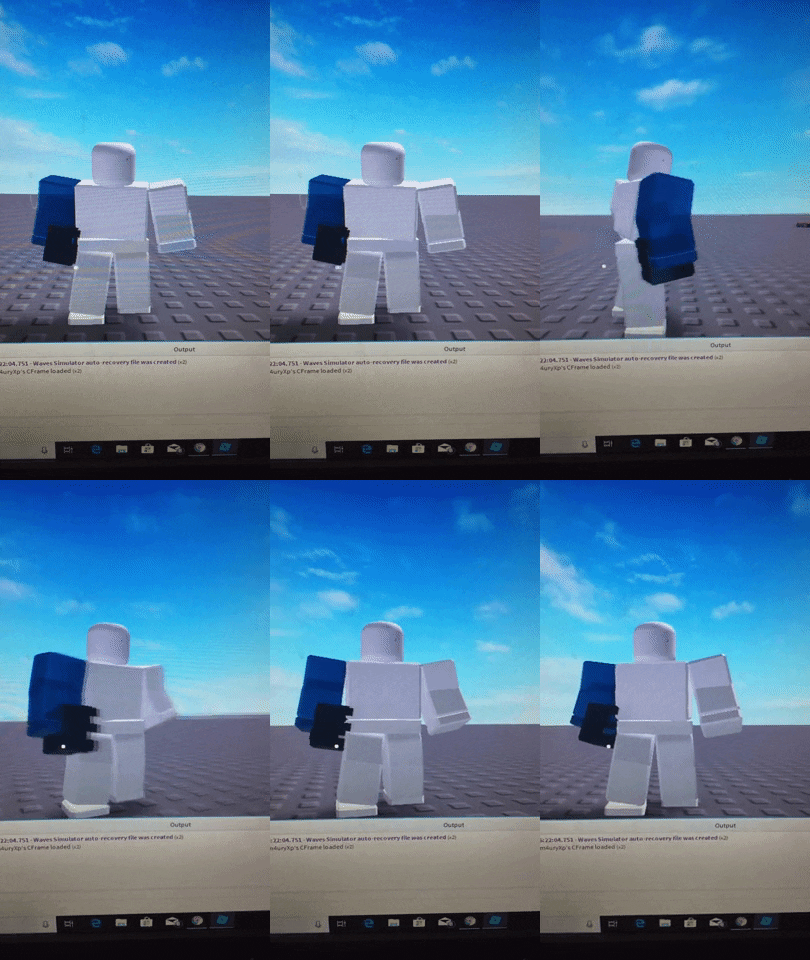
so i am trying to weld this model on to my characters right hand. but when i spawn the model is rotated wrong. here is the script
local rp = game.ReplicatedStorage
local dark = rp:WaitForChild("Right Hand")


game.Players.PlayerAdded:Connect(function(player)
	player.CharacterAdded:connect(function(character)
		character:WaitForChild("RightHand").Transparency = 0

		local ClonedRH = dark:Clone()
		ClonedRH.Parent = character

		ClonedRH:SetPrimaryPartCFrame(character:WaitForChild("RightHand").CFrame)
		local Weld = Instance.new("Weld")
		Weld.Part0 = ClonedRH.Main
		Weld.Part1 = character:WaitForChild("RightHand")
		Weld.C0	= CFrame.new()
		Weld.Parent = character:WaitForChild("RightHand")
	end)
end)
here is what happens, i dont know how to rotate the model. https://media.giphy.com/media/iGeM4adm6zRlW5P1fg/giphy.gif
2 comments
For rotating, you can use CFrame.Angles() and multiply it by a CFrame.
k