Scripting HelpersARCHIVE
A little piece of Roblox history. Preserved for everyone, one question at a time.Read about the archive →
COMMUNITY QUESTION

Leaderstats Save Script Error? [GetAsync and SetAsync]

local ds = game:GetService("DataStoreService"):GetDataStore("Levels")

game.Players.PlayerAdded:Connect(function(player)

	local key = "Levels-"..player.UserId

	local folder = player:WaitForChild('leaderstats')

	local int = Instance.new("IntValue",folder)

	int.Name = "Levels"

	int.Value = 1

	local save = ds:GetAsync(key)

	if save then

		int.Value = save

	end

	int.Changed:Connect(function(player)

		ds:SetAsync(key,int.Value)

	end)

end)

This script used to work, but why won't it work? [Script to save Levels]
1 answer

This script works perfectly fine! Although saving everytime someone levels up should probably be fixed. Y'know, you can't send unlimited request to the roblox servers. (Would probably be smart to add an autosave to save every minute or so and also save when the player leaves the game.)

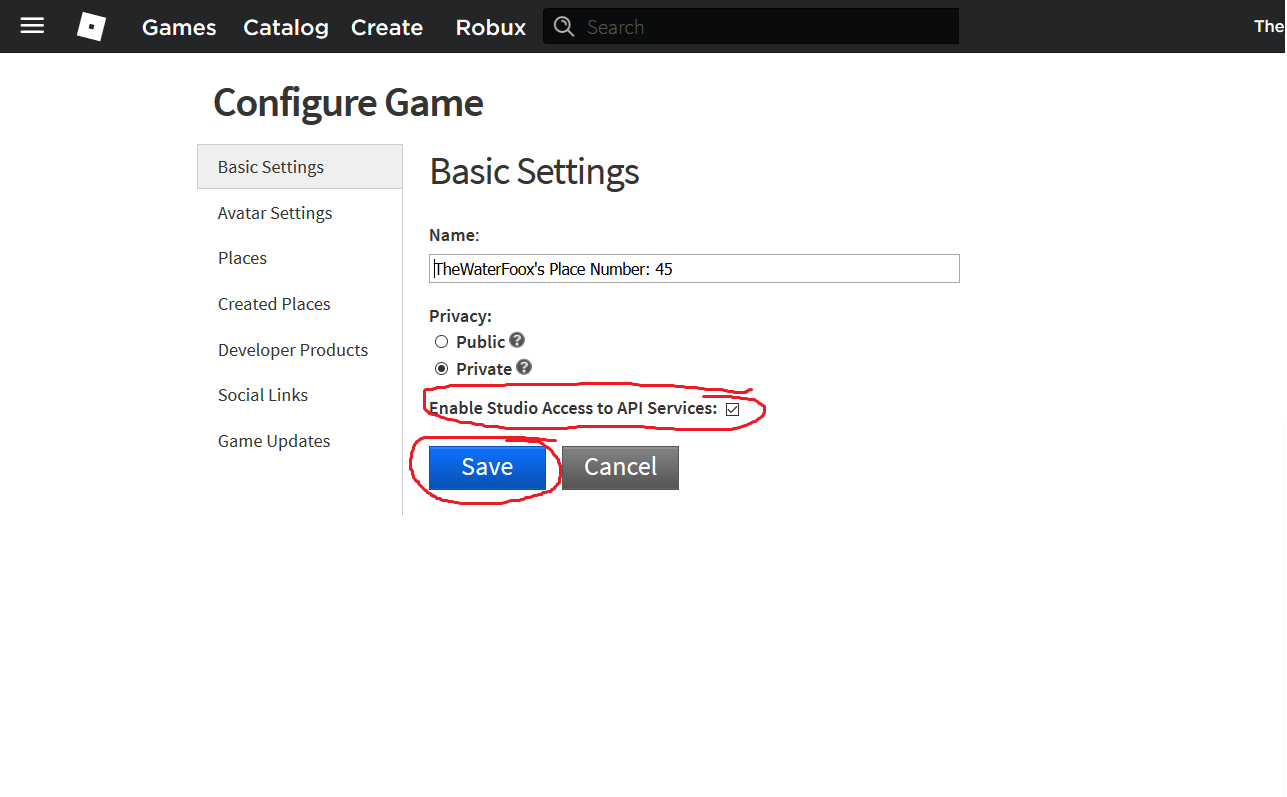
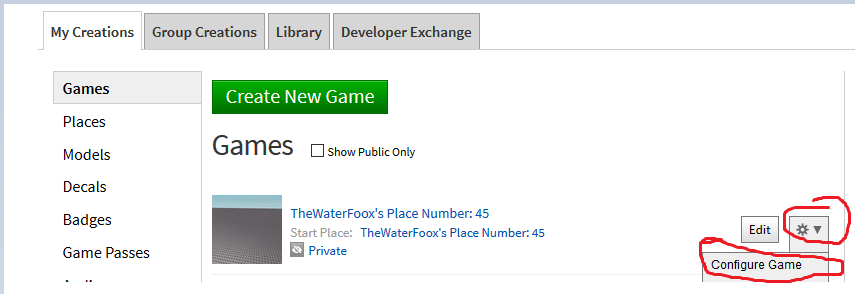
Your problem may be: You havent enabled Studio Access to API Services! This is quite simple just press the buttons shown below all this text: Space

REMEMBER TO HIT SAVEEEE!

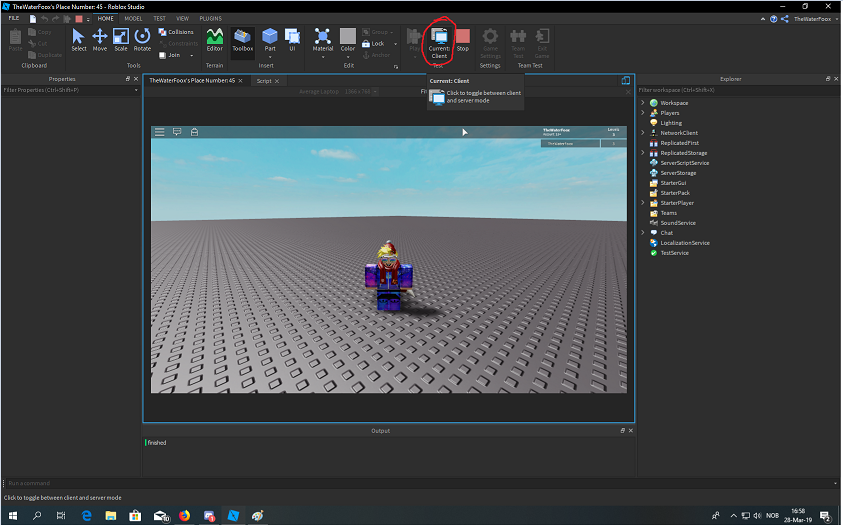
If this is not the case, you may be changing your stats only locally and not server-sided. How to do this? Just scroll down and look at these pictures! :D

  1. Switch to serversided.

  1. You can now see we are serversided. Open the leaderstats folder and change the value of "Level".

Lastly, pause the game and then start it again to check if your level changed.

Happy programming!

Waterfoox

This discussion is preserved as it was. New answers, comments, and votes are closed.