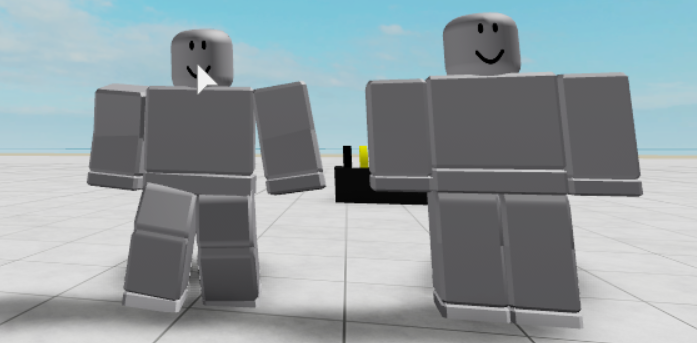
I tried deleting the animation script, deleting the idle animations, and changing my character to a new type.
Picture of problem: https://i.gyazo.com/f8670658c9a5b4b43fd88d3d2f88bf84.png
I tried deleting the animation script, deleting the idle animations, and changing my character to a new type.
Picture of problem: https://i.gyazo.com/f8670658c9a5b4b43fd88d3d2f88bf84.png
If you just wanted to stop any sort of animations running in your character, the only thing you'd need to do is put an empty/disabled LocalScript named "Animate" in StarterCharacterScripts.
Though, if you wanted to replace the animations instead, you'd have to:
If you're letting the players pick what rig they're using, then I suggest creating a Server script to handle which Animate script you're going to insert in the player characters, while having an empty Animate script inside StarterCharacterScripts.
Hope that helps!
This discussion is preserved as it was. New answers, comments, and votes are closed.