#Studio Shortcuts
You can see a list of hotkeys here and here.
#Find in All Scripts
To find a specific string of text in all of your scripts in the place you are in, press Ctrl+Shift+F. Type what you want to find in the textbox (it is not case sensitive).
#General Debugging Method 1
Press Ctrl+Shift+F, type require( and you want to find a LocalScript with require(NUMBERS). If the script is a script you coded, you should fix it asap. If the script is a script from a free model or just not your script and your game is working perfectly fine with the error, ignore it.
#General Debugging Method 2
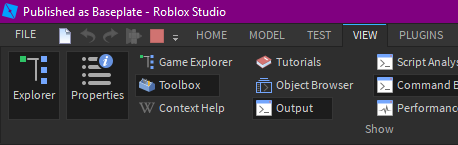
You want to make sure output is visible. Click on the error in the output next time it comes up to view the source of the error. It will take you to the exact line of code where the error occurs. Again, if the script is a script you need, fix it. If it is someone else's code or it's something you don't need then ignore it.
Hope it helps!


2 comments
It means you cannot call "require(assetId)" from the client, and must be called by the server.
@Color3fromRGB slow clap