
Scripting HelpersARCHIVE
A little piece of Roblox history. Preserved for everyone, one question at a time.Read about the archive →
✓ ANSWER ACCEPTED

How to set the CFrame of a part continuously so that when it grows, it only grows in one direction?

I know the title of this is a mouth full, let me explain.

I have a script that clones the Player's LeftHand, and makes the real LeftHand invisible. After that, it makes the cloned LeftHand grow. But as you can see in the gif (here) It grows above and past the player's arm. I'm not really sure how to fix this, although I had a few ideas that failed.
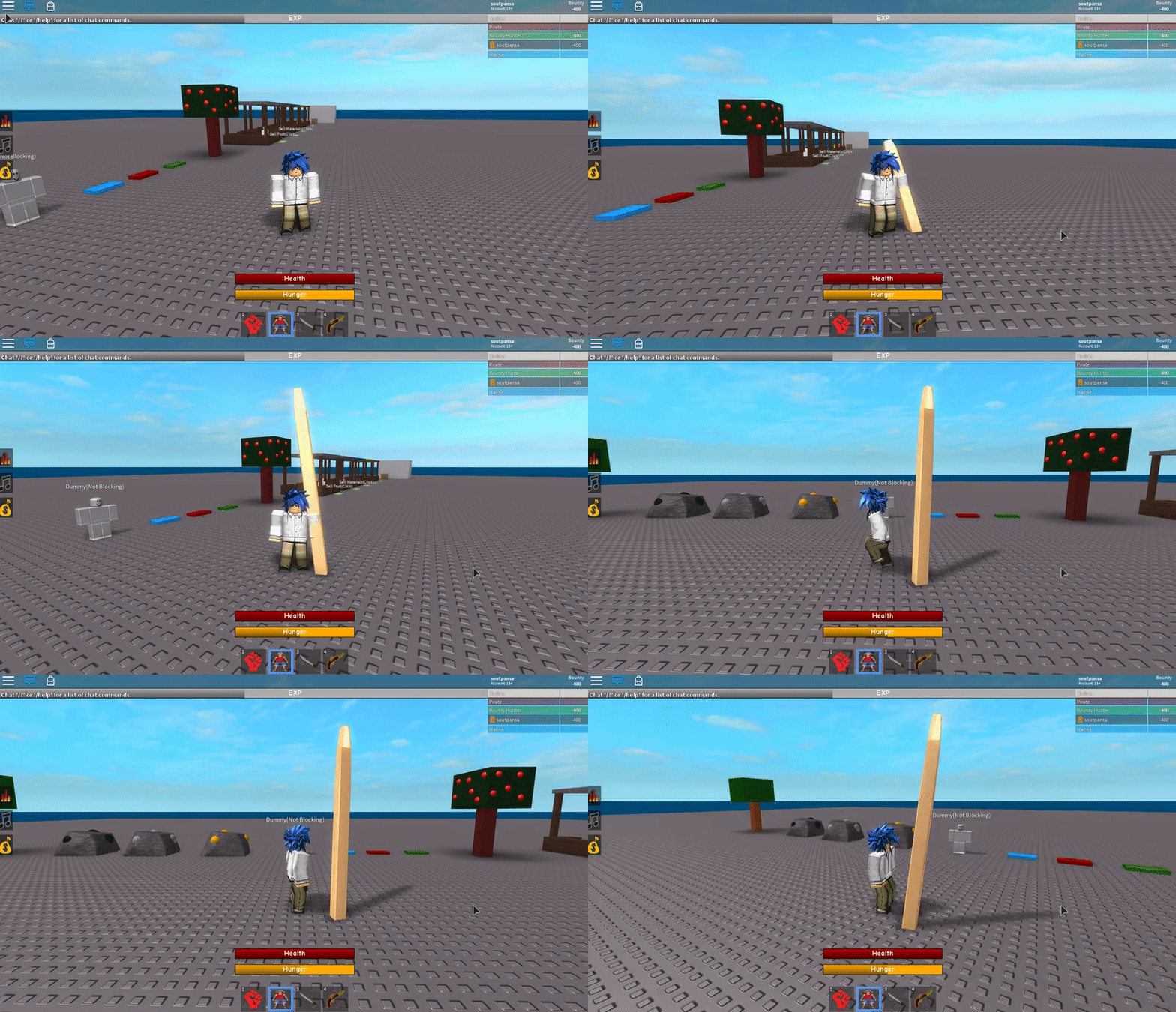
Here is the code that I used:

script.Parent.NormalLeft.OnServerEvent:Connect(function(Player, pos)
	local LeftHand = Player.Character.LeftHand
	LeftHand.Transparency = 1
	local Stretch = LeftHand:Clone()
	Stretch.CanCollide = false
	Stretch.Anchored = true
	Stretch.Name = "GumFist"
	
	for i = 1,50 do
		Stretch.Transparency = 0
		Stretch.Parent = Player.Character
		Stretch.Size = Stretch.Size + Vector3.new(0,0.5,0)
		Stretch.CFrame = LeftHand.CFrame*CFrame.new(0,-4,0)
		wait(0.00005)
	end

end)

Thanks for reading

1 comment

0

I'm trying to make it look similar to this: https://gyazo.com/eb85a6f6b4fdc57c482a5eb680e3feb0

2 answers

✓ Accepted answer

I've tried to make Gomu in the past, and the best thing I managed to do was just to make an animation that simulates luffy's hand stretching out beyond the normal range of an arm. Using resize() will only work if a part is not blocking the current path the face will enlargen through.

Also, you could go about changing the collision groups in the arm make it completely transparent and use a NewPart in the arm to have an increase, because the arms would be non-collidable you could use Resize().

Best of luck, it would be easier to script R6 Gomu (like in that ss) rather than R15 but I'd rather have your animator (or you) make an anim to simulate a Gomu Bazooka or something and run a .Touched function.

2 comments

0

Something I made when I started animation kind of ugly but you get the point, https://gyazo.com/7a1b6a1adfc0b28db88cee1274abf4ee :P

0

I've made gomu before, I just wanted to do it differently. I suppose that I'll stick with a mesh though

use Resize() instead. Here's an example with your script:

script.Parent.NormalLeft.OnServerEvent:Connect(function(Player, pos)
    local LeftHand = Player.Character.LeftHand
    LeftHand.Transparency = 1
    local Stretch = LeftHand:Clone()
    Stretch.CanCollide = false
    Stretch.Anchored = true
    Stretch.Name = "GumFist"

    for i = 1,50 do
        Stretch.Transparency = 0
        Stretch.Parent = Player.Character
        Stretch:Resize(Enum.NormalId.Bottom, 0.5)
        Stretch.CFrame = LeftHand.CFrame*CFrame.new(0,-4,0)
        wait(0.00005)
    end

end)

5 comments

0

Resize() Doesn't seem to be working how I need it to. When I use it, the hand doesn't grow unless the player is walking

0

Apparently there is a part that is blocking it I guess, I'll see what I can do

0

Yeah Resize won't work. Thanks anyways, though

0

it's mainly because the hand hits the basepart. It might work if you use an animation to make the player's arm face forward

0

I did use an animation, but it didnt really produce the result that i wanted. Maybe ill try a mesh or something

This discussion is preserved as it was. New answers, comments, and votes are closed.