
Scripting HelpersARCHIVE
A little piece of Roblox history. Preserved for everyone, one question at a time.Read about the archive →
✓ ANSWER ACCEPTED

How do you tell when a user presses the jump button on mobile?

With the computer it's space, inputObject.KeyCode == Enum.KeyCode.Space, but with mobile I have no clue what it's called.

I've tried other options apart from UserInputService. I've tried the humanoid.Jumping event, and the JumpRequest event of UIS, but both only work when they first jump, but not when they try to jump while in the air, which is what I need.

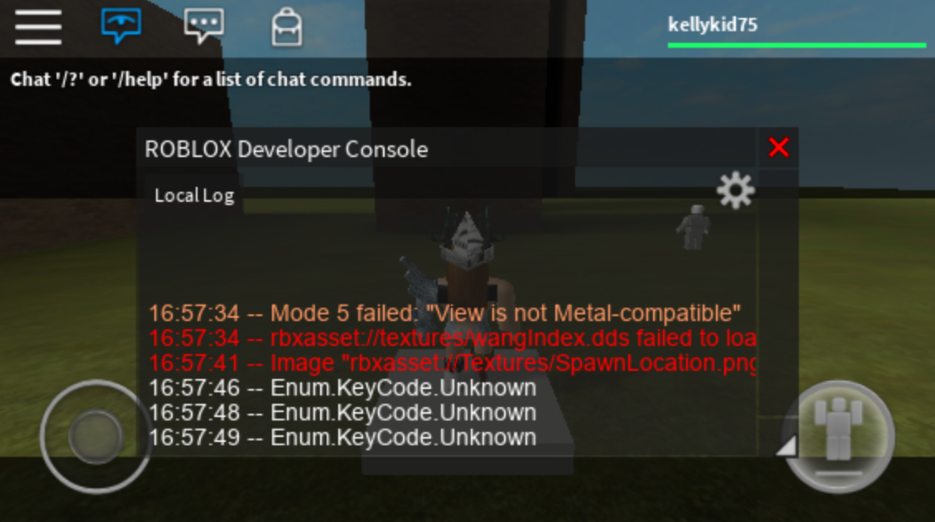
I also had my friend jump on mobile, open the console, and take a screenshot.
--// Example on computers:
local UIS = game:GetService("UserInputService")

UIS.InputBegan:Connect(function(inputObject, GPE)
	if ((not GPE) and (inputObject.KeyCode == Enum.KeyCode.Space)) then
		print("Jump Button Pressed!")
	end
end)

Any help would be awesome.

3 comments

0

Look up ContextActionService and look through the mobile part of the control scripts.

0

You should make it more obvious that you want a double jump feature ;p

0

It's a wall jump :P

1 answer

✓ Accepted answer

There are two possible ways to access the JumpButton which is what the user would press to make the character jump on a mobile device.

The first would be to overwrite the existing ControlScript which can be found in the StarterPlayerScripts when running in solo or as a server. This new script will be used when the player join the game instead of the roblox def.

Inside ControlScript->MasterControl->TouchJump on line 156 is where the jump button is connected, simply add your code here to run when the button is pressed:-

JumpButton.InputEnded:connect(function(inputObject)
		if inputObject == touchObject then
			OnInputEnded()
		end
	end)

The second solution would be to find the JumpButton after is is created in the playerGUi e.g. game.Players.LocalPlayer.PlayerGui.TouchGui.TouchControlFrame.JumpButton and connect another Input event to be ran.

I hope this helps.

1 comment

2

or UserInputService.JumpRequest lmao

This discussion is preserved as it was. New answers, comments, and votes are closed.