✓ Accepted answer
I found more about what you were talking about with your forum post here.
The problem, from my perspective, seems to be that the mouse is scaled from the WHOLE screen, with the topbar. Regular GUIs are not scaled with the topbar in account.
Accounting for the top bar
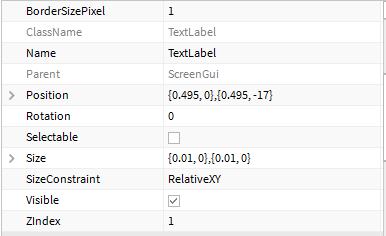
To get the GUI to be where the mouse would be in zoomed in mode, we have to know the size of the top bar. The tobbar is measured in offset, pixels, and measures to be about 35 pixels.
If we divide this by two to get half, we then subtract the centered GUI's offset by this new number. Because we can't put .5 of a pixel, I rounded down to 17.
Good Luck
if I helped, please don't forget to accept my answer.

1 comment
Actually, round up to 18 pixels for best results :3