
So I have a tool which I don't want the default hold up animation on. So I disabled RequireHandle and made a script that welds the custom handle to the players hand. Tho the handle is not positioned correctly. Custom Handle Example
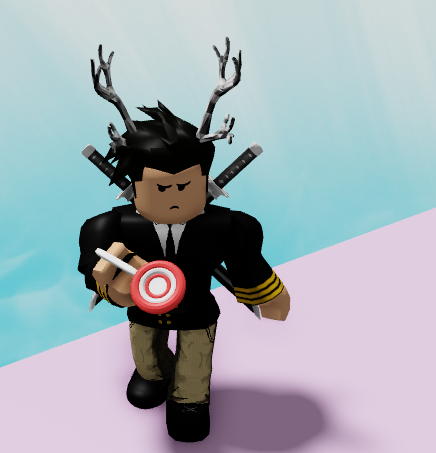
This is the weld thats called when equipping the tool.
local handle = Tool:FindFirstChild("NotHandle") -- NotHandle is the custom handle
local hand = Tool.Parent:FindFirstChild("RightHand")

local weld = Instance.new("Weld", handle)
weld.Part0 = handle
weld.Part1 = hand
weld.C0 = CFrame.new(0, hand.Size.Y/2,0)
When renaming the custom handle to "Handle" and changing its position with the plugin "Tool Grip Editor" everything works, but the default hand out animation shows. Normal Handle Example

So how would I make it position the same as when im using a normal handle but with a custom handle. Im guessing I need to do something with the weld.C0, but everytime I tried changing anything there, the positioning just got weirder. Here is my tool in explorer
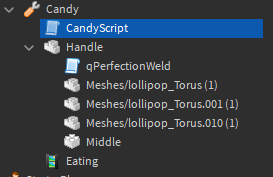
1 comment
Yeah that works with normal tool handles, but I wanted a custom one.