
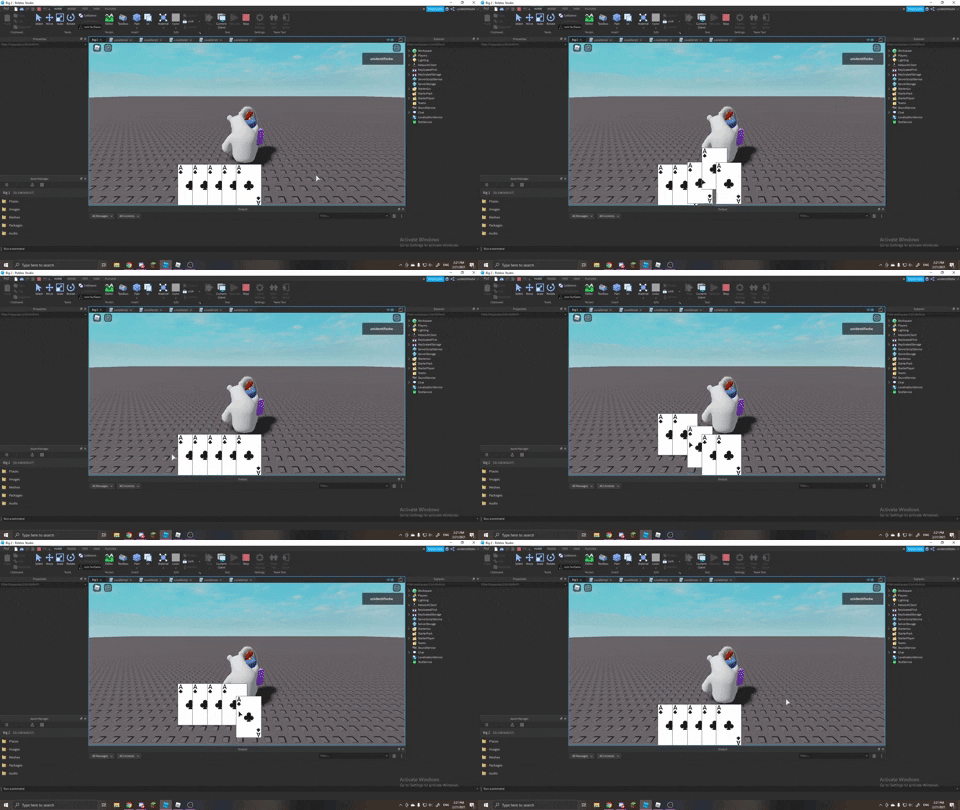
I am trying to make the cards tween up when you hover over the gui with your cursor and go back down when your cursor is out of the gui. I have 5 gui in this so far for testing and when i hover my mouse left to right the cards doesn't go down. When I go right to left it works as intended. "https://media.giphy.com/media/mYRz7WU09iY51e6M5S/giphy.gif" <---- (a gif to show what I mean)
local object = script.Parent
local objectx = object.Position.X.Scale


object.MouseEnter:Connect(function()
	object:TweenPosition(
		UDim2.new(objectx, 0, 0.6, 0),
		nil,
		nil,
		0.3,
		true
	)
end)

object.MouseLeave:Connect(function()
	object:TweenPosition(
		UDim2.new(objectx, 0, 0.735, 0),
		nil,
		nil,
		0.3,
		true
	)
end)
Is there a way to fix this so that the cards go down one by one like it did when going right to left?
2 comments
Any errors in the output?
There are no errors in the output