
Hello! I haven't been able to find an answer to my question above so I decided to come here to try and get it solved.
I have an local animation script in StarterGui>Components>Viewmodel: Image

Inside the localscript there is some code which should make shotgun shells spawn near the slider:
function playShoot()
	if game.ReplicatedStorage:WaitForChild("Components").Events.GiveClientInfo.Value == true then -- "GiveClientInfo" is a Bool Value which I used to get data from server that the player clicked
		Hold:Stop()
		Shoot.Looped = false -- Making sure for no errors
		Shoot:Play()
		if Shoot:GetMarkerReachedSignal("Eject Shells") then
			local shell = rep.Components.Models.Shells.Union:Clone()
			shell.Parent= workspace["Ejected Shells"]
			shell.CFrame = weapon.Ejector.CFrame + Vector3.new(0 , 1.5, 0)
			game:GetService("Debris"):AddItem(shell, 6)
		end
		Hold:Play()
	end
end
Here is the Animation Window where I set up the marker: Image

But when played (In studio play mode as well as actually playing it), it fires as soon as I click (the shell is supposed to clone when the animation where the slider is shown appears): GIF
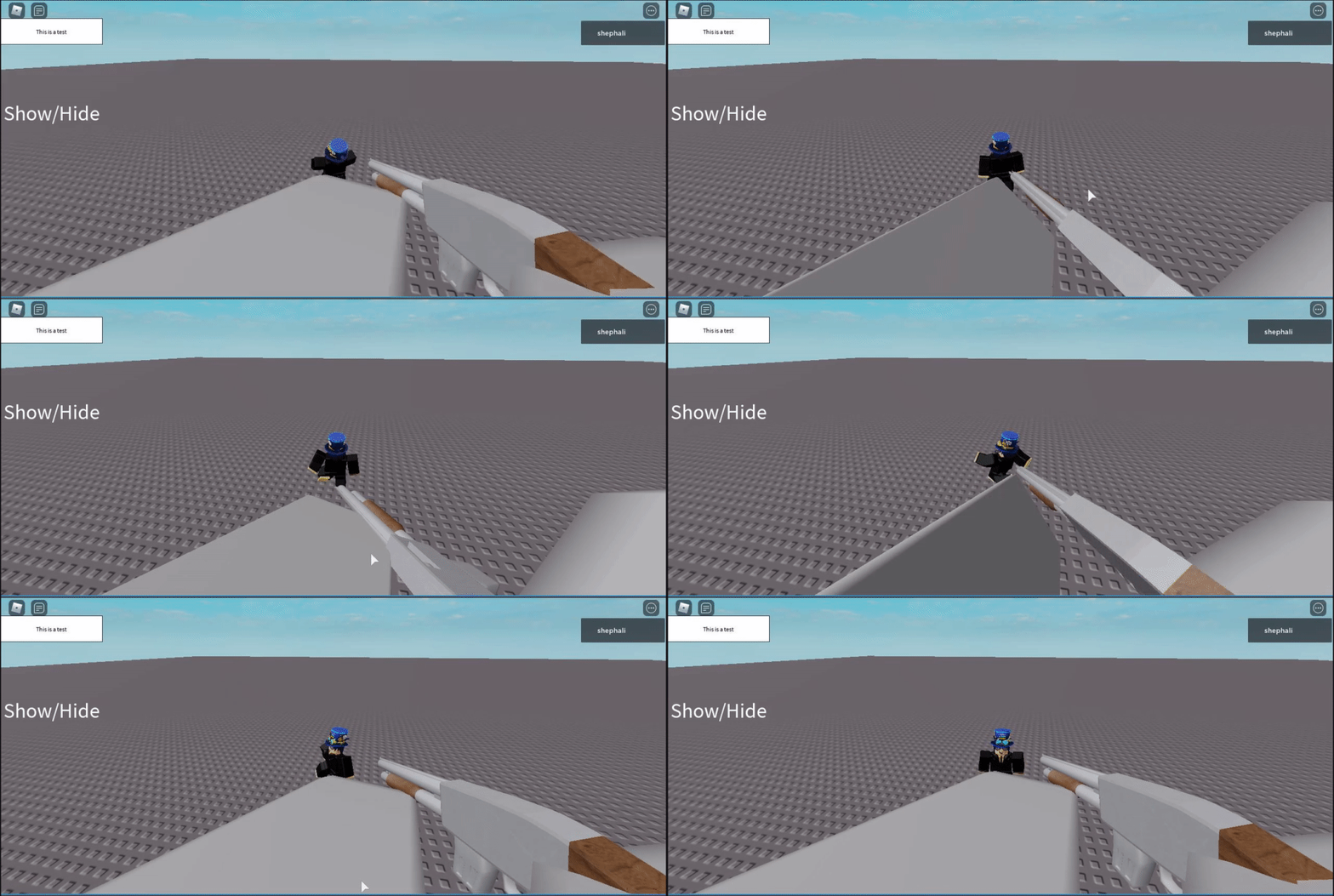
This is my first time messing with animation tracks and animation markers.
If any more info is needed, I will edit the post to add those details as soon as I can. Thanks!
Major Details Edit: The comments in the script was wrong, GiveClientInfo is a bool value not a remote event, I got confused with REs with the same name format, this has been corrected.
14 comments
I am getting an about blank error with the images for some reason, I will try to get that fixed
Sorry, I haven't messed with animations since before
KeyframeReachedwas deprecated, in favor of:GetMarkerReachedSignal(), so I'm rusty. When you run the animation in the editor, does it look like it should?And are you certain that you have the marker in the appropriate place?
The animation marker is placed correctly, if needed i can send an image
An RBXScriptSignal can't be used a boolean expression, nor will it yield like you think it will in this context. To properly achieve what you're attempting, replace the conditional scope with "Shoot:GetMarkerReachedSignal("Eject Shells"):Wait()" at line 6.
I tried doing that but that skips my animation for some odd reason, I'll quickly send a gif, I'll retry
here, https://i.gyazo.com/8b61a9c8537fc5b2283ab8700d069f8f.gif
If compared the animation here is skipped, the weird part is it happens at the correct time.
It shouldn't.
Is it a hardware problem?
The script changes is identical but "if then end" are removed/replaced
This post was originally going to be posted on dev forums but I don't have the permissions to post there yet, wondering if this is a bug
Should I provide the script which detects if the player is clicking**? Also no errors or anything in the output except a print message that i used to detect if the player clicked
Major Detail edit, please check it out, thanks