I know a lot of coders on here advise against the use of wait() or while wait() do, but I'm probably just old fashioned. Anyway, I'll give my two cents on how to tackle this issue.
#Simple 1 Second Timer using RunService
Here is how you make a simple counter in RunService. Let's say you want to use a server script, we'd use Stepped then. The first step is to create a variable that we can use that'll tell us how much time has passed:
Step 1
Next, we will use the Stepped event:
Step 2
Argument T tells us how long the RunService has been running for. Once the difference, or delta, of T and previousT are greater than or equal to 1, a single second has passed (roughly).
Step 3
Set previousT to be equal to the new T, as this will help us continue the cycle.
local previousT = 0

game:GetService("RunService").Stepped:Connect(function(T,S)
	if T-previousT >= 1 then
		previousT = T
		print("1 second passed: "..T)
	end
end)
##There is a glaring problem with you code that you may not notice.
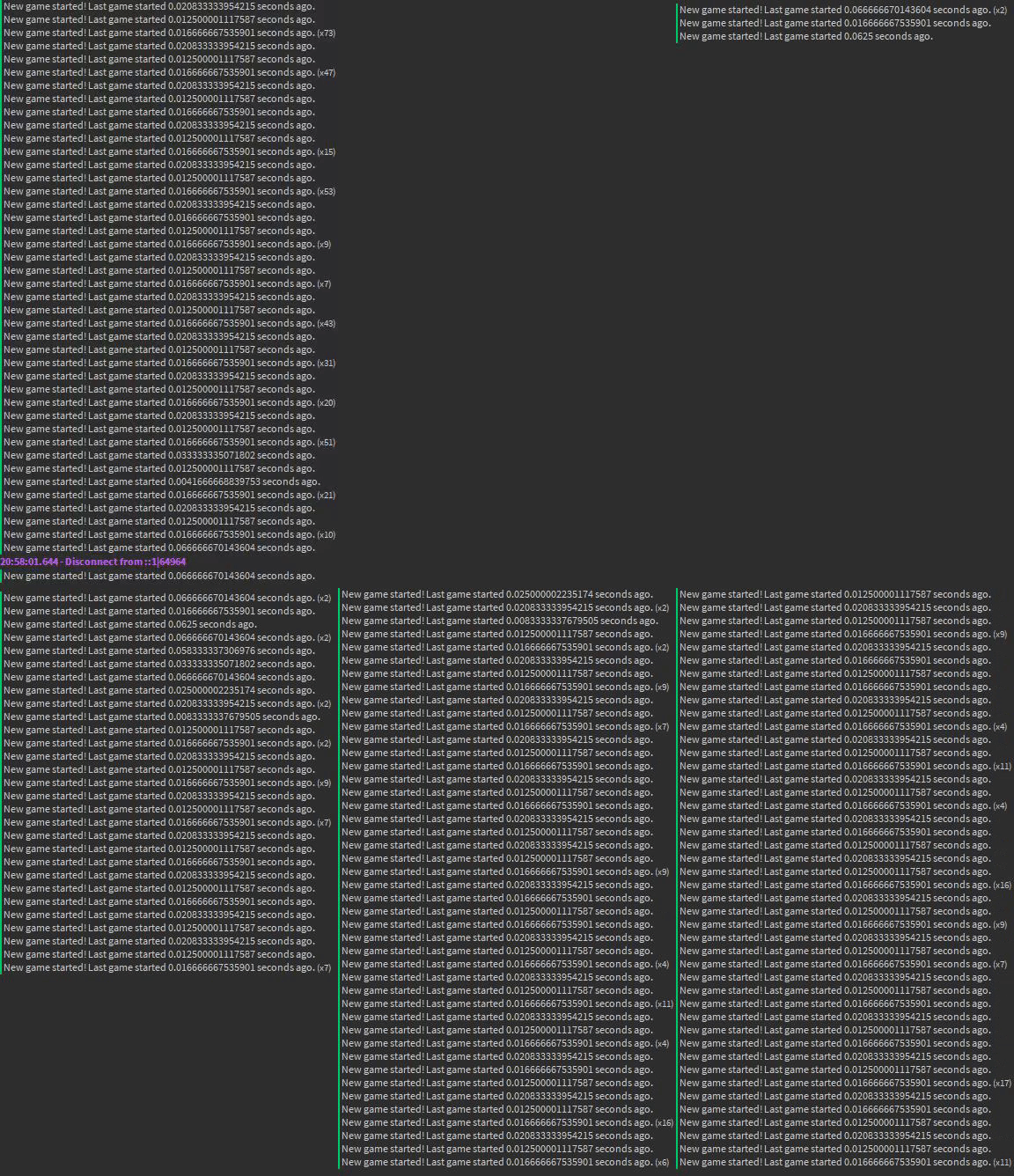
When you were using a while loop, your code would work perfectly fine. Now that you're using RunService, your code is not going to function properly. This is because a while loop will only loop if the condition is true and if all of the other code has been "activated" or "used". Meaning that the code will only start from the beginning of that loop after the "game" is done, in this example at least. If you use Stepped or Heartbeat, it'll be as if a new game is starting once every 1/40th of a second. Not good!
While Loop
This code is me using a while loop. As you can see, I was only bothered to wait 25 seconds.
Stepped
The solution may be to use Stepped for a count down in a function.
##In order to prevent this issue,
you may need to have a function start the game and then a function end the game which will start the game up again once the game has fully finished. This will go on forever, so the game can last forever.
function startGame()
countDown(10)
endGame()
end
function endGame()
startGame()
end
Wait. There is something up with this. Isn't this an infinite loop? Aren't we avoiding infinite loops though? and how do we delay the script so that the game doesn't freeze?
Seems like we have to go back to our old nemesis... wait and while loops...
#Conclusion
This is not me giving you a solution on how to code what you want, this is more like a story with a moral. First, I want to start off by saying that the people who are saying not to use wait() or while loops are likely the same people who say while wait() do is not good. If that is the case, then you should probably listen to this... The main argument that I hear from these people is that it's a bad habit. People use while wait() do without knowing how conditions work and that they could be missing out on some good coding short cuts by not using while wait() do.
The whole point of coding is that you have a target that you want to reach, for example, a game that loops. What coding allows us to do is to find a way to reach that goal. Yes, there are good ways and there are "bad" ways. If it works, then it works. Tom Scott's Art of the Bodge is a great video to watch when it comes to the process of coding. He may not know as much about coding as some of the other people on this site, but I love the way he made his emoji keyboard. Everything is almost loosely working together, and in the end, it functions properly.
Use what methods you want in coding, it's your code. Yes, your early code may be messy and barely working. You may be using inferior methods in your coding. If they work, they work. If the moment ever comes that your method of coding doesn't work, you find a new way and learn from that. Your coding skills evolve from the fact that you realize that your old methods are inferior and that you should learn new techniques. If someone shows you that you should use a new method, you don't really learn how to use the old methods to your advantage in the future in conjunction with new knowledge.
###People say that you shouldn't use while wait do loops because you're blindly following what someone else does. The hypocrisy is that you following their word without looking much into the topic is blindly following what someone else does.
You don't gain any new knowledge by not using while wait do. You gain knowledge when you use while wait do and then realize or learn for yourself that there may be other alternatives.
#Feel free to use wait() and While Loops
While lag can affect wait, lua is lightweight. Nothing is going to cause much lag on modern computers except for looping code that isn't yielded or a massive amount of assets or code being used at once. I personally don't like using while loops--and I advise against them--but in some situations, they're unavoidable. Use what works, don't be afraid to use something because other people say they shouldn't. It's called learning.
####Hope it helps! -LordDragonZord



2 comments
I was thinking to use RunService stuff, but I want to know the proper context.
RunService.Heartbeat:Wait()